

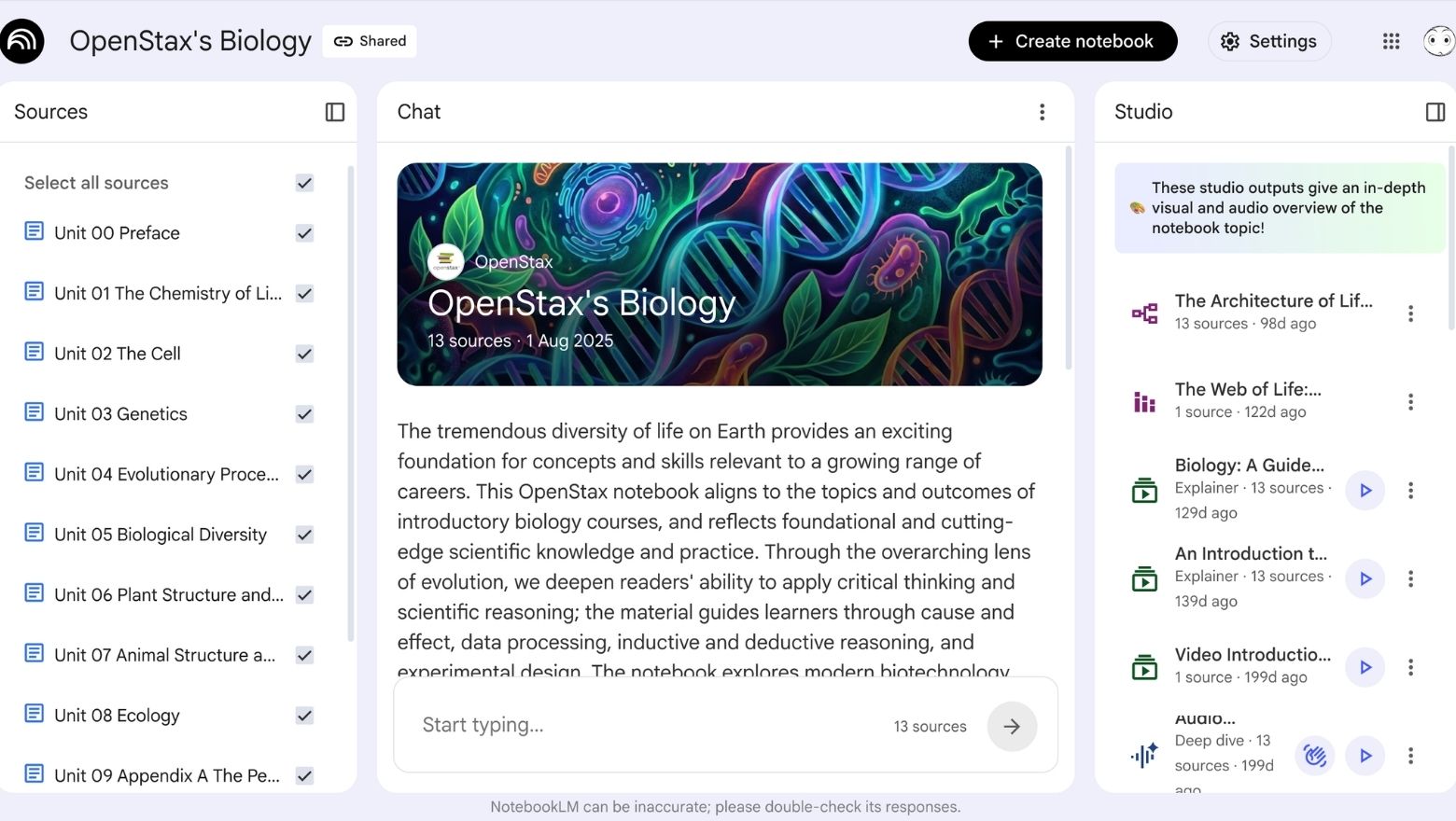
Some AI websites are fun to poke around for five minutes. NotebookLM is the kind of one you keep coming back to because it’s actually useful.
This week’s pick is NotebookLM, Google’s AI-powered research and note-organising tool. The simplest way to describe it is this: you upload your own material, then NotebookLM helps you make sense of it. Google describes it as an AI research tool and thinking partner, and that framing feels about right. It’s built less like a general chatbot and more like a workspace for understanding information you already care about.
What NotebookLM Actually Does
NotebookLM lets you add sources such as PDFs, websites, copied text, Google Docs, YouTube links and more into one notebook, then ask questions about them, generate summaries, pull out key themes and create structured outputs. Google says it supports a wide range of source types, including PDFs, web URLs, Google Docs, Google Slides, markdown files, public YouTube videos and audio files.
That alone is useful, but the feature that really made NotebookLM stand out is Audio Overviews. Google says Audio Overviews can turn your sources into a “Deep Dive” discussion with one click, while its support docs describe them as in-depth conversations between AI hosts based on the material you uploaded.
In plain English, that means you can dump in a stack of reading, notes or research and get a podcast-style explanation back. That’s one of those AI features that sounds gimmicky until you actually use it.
Why It Stands Out
What makes NotebookLM so good is that it’s grounded in your sources, not just the open web. That gives it a different feel from a normal chatbot. Instead of asking a model to freestyle an answer from general knowledge, you are asking it to work with the material you gave it.
Google’s education materials describe NotebookLM as a free generative AI tool that is grounded only in the information you provide, and say it can generate summaries, lesson plans, study guides and quizzes with in-line citations. That grounding is a big part of why it feels more trustworthy and more practical for serious use.
It’s also getting better. Just days ago, Google announced new NotebookLM updates that expand upload flexibility, add more visual tools and improve study features. That makes it feel like an active product that Google is continuing to invest in, not a forgotten experiment.
Who It’s Best For
NotebookLM is especially good for:
- students working through heavy reading or lecture material
- journalists and researchers pulling together multiple sources
- professionals dealing with reports, documents and notes
- anyone trying to understand a messy pile of information faster
It’s less about generating flashy content from scratch and more about helping you organise, question and absorb information you already have. That’s exactly why it stands out.
How to Get Started
The best way to try NotebookLM is to test it with something real.
Access NotebookLM here: notebooklm.google.com
A simple first use could be:
- upload a PDF and ask for a plain-English summary
- paste in several article links and ask for the key differences
- add class notes or work documents and generate an Audio Overview
- turn a pile of information into a study guide or cheat sheet
Google also now has a dedicated NotebookLM app page and mobile listings, but for this feature, the website itself is still the main attraction.
Our Rating
9/10
NotebookLM loses a point only because some readers may need a little time to understand how to use it well. It’s not hard, but it works best when you bring your own material and a clear purpose. Once you do that, it quickly becomes one of the most useful AI websites around.
Why this matters for Australia
For Australian readers, NotebookLM feels especially relevant because it solves a very real problem: information overload. Whether it is uni readings, workplace documents, policy papers, meeting notes or research for side projects, a lot of people are already drowning in material they don’t have time to absorb properly.
That is where NotebookLM feels more practical than a lot of flashy AI tools. It helps turn a pile of sources into something you can actually understand, question and use. For students, professionals, researchers and even curious everyday readers, that’s a much more meaningful kind of AI help.
Source: Google NotebookLM
Website link: notebooklm.google.com

